Having a WordPress website does not automatically mean that your website will rank well on Google.
You can have a beautiful design, useful services, and good content, but still receive very little organic traffic if your website has basic SEO problems.
The good news is that many WordPress SEO problems are easy to identify and fix.
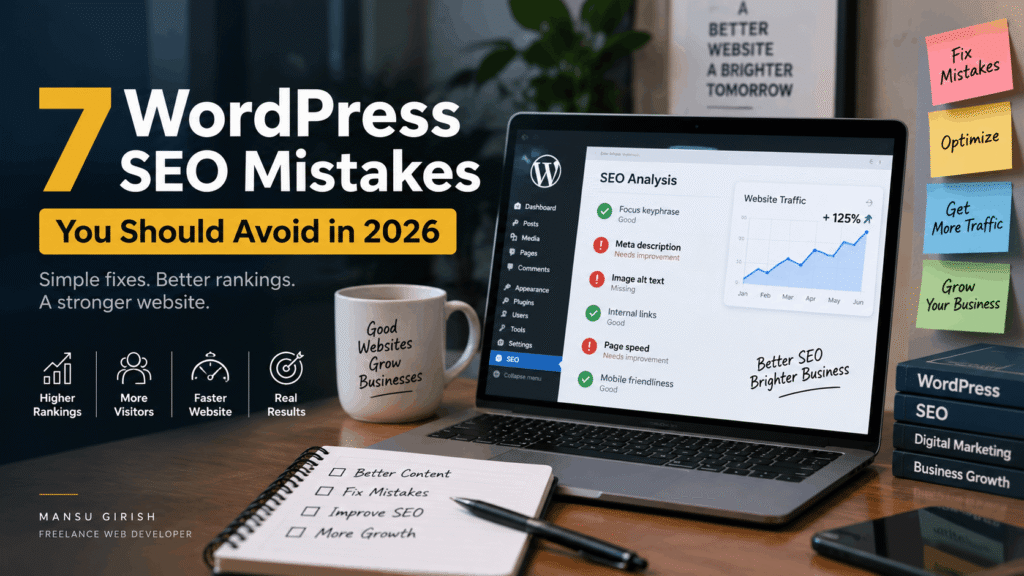
In this article, we will look at 7 common WordPress SEO mistakes that businesses and website owners should avoid in 2026.
1. Publishing Content Without Keyword Research
One of the most common SEO mistakes is writing articles without first understanding what people are searching for.
You may write a detailed article, but if nobody searches for the topic or your content does not match search intent, it may receive very little traffic.
Before writing a blog post, think about:
- What is my target audience searching for?
- What problem are they trying to solve?
- What keywords describe this problem?
- Is my content actually answering their question?
- Can I provide something more useful than existing results?
For example, instead of writing a general article about websites, a local web developer could target specific topics such as:
“How Much Does a Business Website Cost in Kerala?”
or
“WordPress Website Checklist for Small Businesses.”
The goal is not to repeat a keyword everywhere.
The goal is to create content that genuinely matches what your potential customers want to know.
2. Ignoring Page Titles and Meta Descriptions
Your page title and meta description help search engines understand your page.
They also influence what users see in search results.
A weak title such as:
Home
does not tell Google or users much.
A more descriptive title could be:
Freelance Web Developer in Kerala | WordPress & SEO Services
Similarly, your meta description should clearly explain what the page offers.
For a service page, mention the main service, target audience, and location where relevant.
For example:
“Professional WordPress website development and SEO services for businesses in Kerala. Build a fast, mobile-friendly website designed for growth.”
Yoast SEO can make this process easier by allowing you to set your SEO title, meta description, focus keyphrase, and other on-page information.
3. Making Your Website Too Slow
Website speed is important for both users and search visibility.
A website that takes too long to load can create a poor experience, especially for visitors using mobile devices.
Common causes of slow WordPress websites include:
- Large image files
- Too many plugins
- Poor-quality hosting
- Unoptimized themes
- Unnecessary JavaScript
- Excessive animations
- Missing caching
- Poorly optimized databases
You do not need to remove every feature from your website.
Instead, focus on removing unnecessary elements and optimizing the resources you actually need.
Compress images before uploading them, use suitable image formats, enable caching, and regularly review the plugins installed on your website.
A fast website is easier to use and gives visitors a better experience.
4. Forgetting Mobile SEO
Many website owners check how their website looks on a desktop and stop there.
That is a mistake.
Your website should also work properly on smartphones and tablets.
Check whether:
- Text is easy to read
- Buttons are large enough to tap
- Menus are easy to use
- Images fit the screen
- Forms work properly
- Pages load quickly
- Important content is visible without unnecessary scrolling
A responsive WordPress website should provide a consistent experience across different screen sizes.
Do not assume that a website is mobile-friendly simply because the WordPress theme says it is responsive.
Test it yourself.
5. Using Poor URL Structures
Your website URLs should be simple and understandable.
Compare these examples:
example.com/?p=123
and
example.com/wordpress-seo-tips/
The second URL gives users and search engines a much clearer idea about the page.
For blog posts and important pages, use short and descriptive URLs.
Avoid unnecessarily long URLs containing random numbers, dates, or unnecessary words.
Also, think carefully before changing URLs on an established website.
If you change an important URL, make sure the old URL is properly redirected to the new one.
6. Publishing Content Without Internal Links
Publishing a new blog post is only part of content SEO.
You should also connect your articles to other relevant pages on your website.
For example, an article about WordPress website development could naturally link to:
- WordPress development services
- Website maintenance services
- SEO services
- Another related blog post
- Your contact page
Internal links help visitors discover more useful information.
They also help search engines understand the relationship between different pages on your website.
Instead of adding links randomly, use them where they are genuinely helpful to the reader.
For example:
“If your existing website is outdated, you may also want to read our guide to choosing the right website for your business.”
This creates a natural connection between related content.
7. Treating SEO as a One-Time Task
Perhaps the biggest SEO mistake is thinking that SEO ends when the website goes live.
It does not.
A website needs ongoing attention.
Search trends change. Competitors publish new content. Your own services may change. Old information can become outdated.
Regular SEO maintenance can include:
- Updating old blog posts
- Checking broken links
- Reviewing search performance
- Improving underperforming pages
- Updating outdated information
- Optimizing new images
- Checking website speed
- Reviewing important keywords
- Adding useful internal links
- Publishing new content
This is particularly important for business websites that depend on Google for enquiries and leads.
A Simple WordPress SEO Checklist
Before publishing a new WordPress page or blog post, ask yourself:
Content
- Does this page answer a real question?
- Is the information useful?
- Is the content easy to read?
SEO
- Is the focus keyphrase relevant?
- Is the SEO title descriptive?
- Is the meta description written properly?
- Is the URL clean?
- Are the headings structured correctly?
User Experience
- Does the page work well on mobile?
- Are the images optimized?
- Is the website reasonably fast?
- Is the call-to-action clear?
Internal Linking
- Can I link to another useful article?
- Can this article link to a relevant service page?
These simple checks can prevent many common SEO problems.
Final Thoughts
WordPress makes it relatively easy to create and manage a website, but good SEO still requires planning and regular maintenance.
The biggest problems are often not complicated technical issues.
They can be simple things such as unclear page titles, slow images, poor URLs, missing internal links, weak content, or ignoring mobile users.
If you are using WordPress for your business, SEO should be part of your website strategy from the beginning.
A website should not only look professional.
It should also be fast, useful, mobile-friendly, easy to navigate, and optimized for the people searching for your services.
If your WordPress website needs SEO, performance improvements, or a complete redesign, Mansu Girish provides WordPress development, SEO, and digital marketing services for businesses in Kerala and beyond.
Need help improving your website? Get in touch to discuss your requirements.